Your TV, managed from your PC.
NATNT Assistant for Windows 0.9.5 brings channel controls, desktop and window casting, TV mirroring, app management and file transfers to your computer. No phone required.

NATNT Assistant
Windows client- Released
- Requirements
- Windows 10/11 x64 · .NET Framework 4.8
- File size
- 56.5 MiB
- Installation
- Extract the entire ZIP and run NATNT.exe. Keep tools, brand and the other companion files together.
Start with Windows
- Download and extract the entire ZIP to a local folder, then run NATNT.exe. Do not run inside the archive or copy only the EXE.
- Connect the PC and TV to the same router and enable network or wireless debugging on the TV. Developer mode is not needed on the PC.
- Search in Devices, choose the TV and press Connect at the top. Approve the request on the TV. If discovery fails, enter the TV IP:connection-port manually.
- If a six-digit code is required, pair first, then use the connection port. The client follows the Windows display language by default; language changes in Settings take effect after restart.
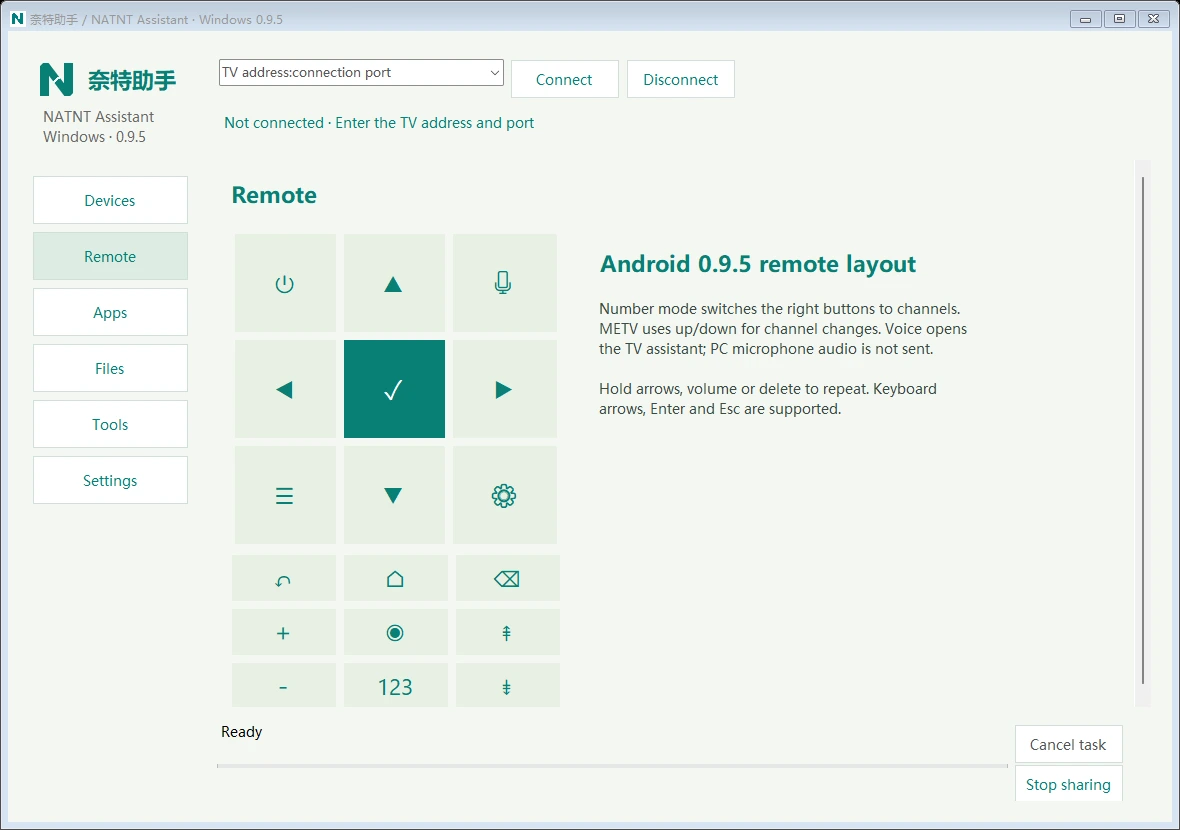
What you can do on Windows
Number keys and METV channels
Switch between direction, number, page and channel controls. Use arrow keys, Enter and Esc. Channel controls adapt when METV is in the foreground.
Cast a desktop or window
Choose a display or window and optionally include system playback audio. One window limits the picture, not audio from other apps. The microphone is not captured.
Use the remote while mirroring
View your TV in a desktop window and expand an independent remote. TV mirroring and recording run for up to 3 minutes per session.
Devices, APKs and files
Discover local devices and web-management pages, check and install a single APK, manage third-party TV apps, and upload or download files.
Test the PC connection
Measure download, upload and HTTPS response time, using up to about 40 MiB per test. The result is for the PC, not the TV.
System requirements and scope
Requires Windows 10/11 x64 and .NET Framework 4.8, plus an Android TV or box with network ADB enabled. No macOS, Linux, 32-bit Windows or native Windows ARM package is provided. GPU-rendered or protected windows may appear black; audio depends on the system and app. No resumable transfers, infrared or remote access over the internet.
Windows protocol, discovery, language and UI regression checks have passed. More TV firmware, real desktop audio and long transfers still need verification. Android device records are not a certification of all Windows features.
CompatibilityVerify the Windows ZIP
C8B35E0E5769ECD1824C7C8BA93698319CC5F6B142A9B89685458A6EDE3F831ADownload checksum file Code signing
NATNT.exe currently has no Authenticode code signature. Windows may show an unknown-publisher notice. Check the download source and ZIP SHA-256 below; a checksum is not a publisher signature.